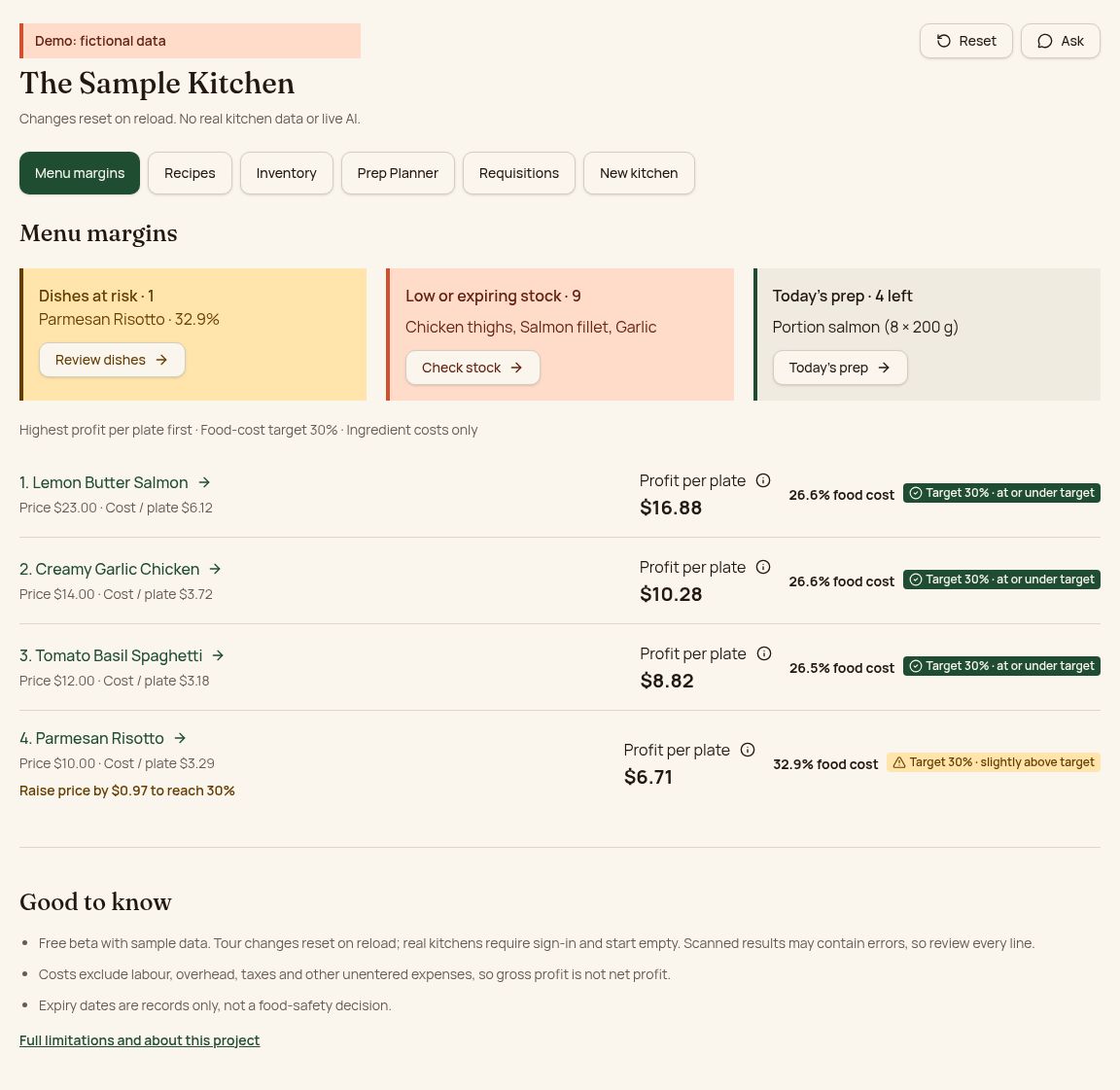
Profit per plate
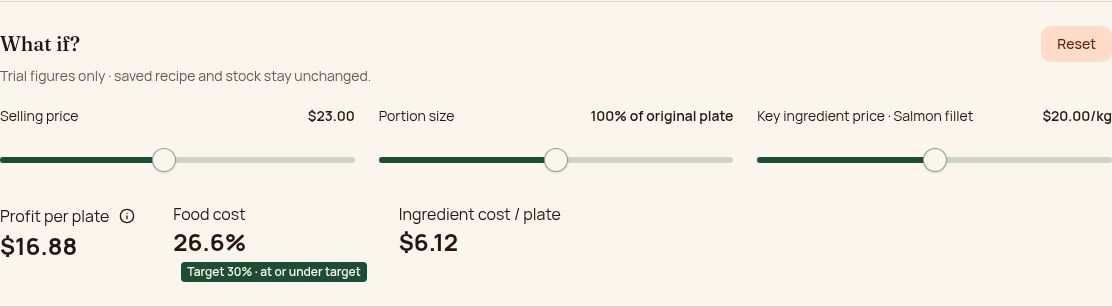
See which dishes earn their place and test price or portion changes.
Stock that needs attention
Low stock, recorded expiry alerts and practical specials ideas.
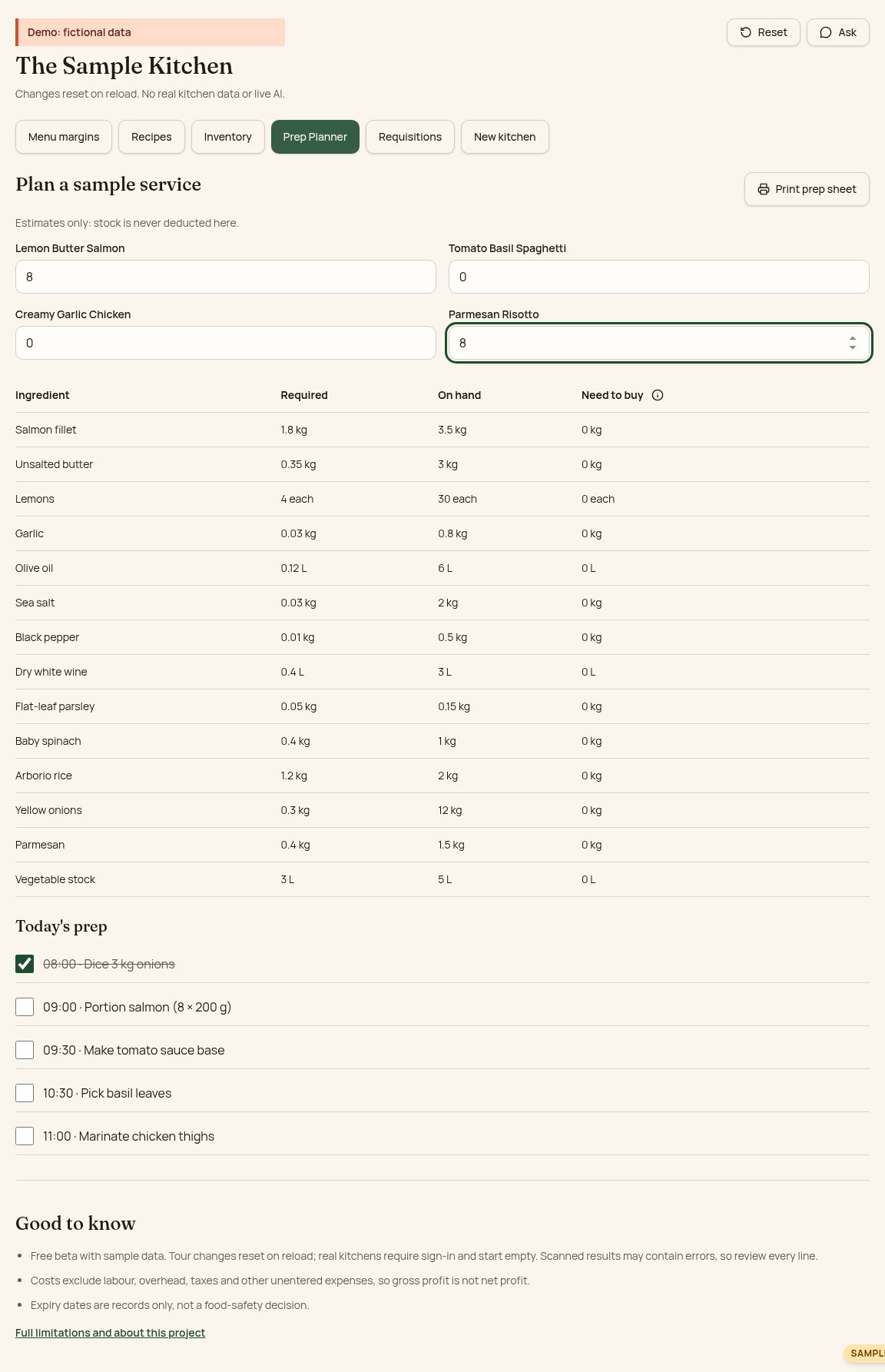
Ready for service
Plan plates, see what you need to buy and print today’s prep.
Add stock from a receipt, invoice or list
Import CSV/Excel, paste a list or scan a photo (beta) — review before anything is saved.
The assistant in action
A recording of real assistant answers about the fictional sample kitchen. In your own kitchen, the assistant works after sign-in and uses only your saved figures. Always check allergens and dates yourself.
A look inside the sample kitchen
Try a service in three steps
- Compare Menu margins, then open a dish to test its price and portion.
- Check Inventory and try “Use what’s expiring” for sample specials ideas.
- Plan servings in Prep Planner, tick off tasks and print the prep sheet.
Your kitchen, your records
The public sample uses fictional data and resets on reload. Signed-in records are shared with authorized members of your kitchen; photo, PDF and spreadsheet reading stays on your device, and the optional assistant uses saved kitchen information to answer your question.
Contact Daniel / Send feedbackGood to know
- Free beta with sample data. Tour changes reset on reload; real kitchens require sign-in and start empty. Scanned results may contain errors, so review every line.
- Costs exclude labour, overhead, taxes and other unentered expenses, so gross profit is not net profit.
- Expiry dates are records only, not a food-safety decision.